Building a system using YAML
This tutorial explains how to define mechanical systems using YAML configuration files. YAML is the recommended approach for complex models with many components, since it separates geometry data from simulation code.
Overview
The YAML workflow has three steps:
- Write a YAML file — define points, segments, and other components in a structured text file
- Load with
load_sys_struct_from_yaml— parses the YAML and calls the same Julia constructors used in the Julia tutorial - Compile and simulate — same as the Julia path:
SymbolicAWEModel→init!→next_step!
The YAML loader does as little as possible: it parses YAML, applies the variables block, converts string enum values, and calls constructors. All defaults and derived calculations happen in the component constructors.
YAML file structure
A YAML file can contain any of these top-level blocks:
| Block | Purpose |
|---|---|
variables | Named values and property sets reused across the file |
points | Point masses (nodes in the system) |
segments | Spring-damper connections |
pulleys | Equal-tension constraints |
stations | Deformable wing sections (twist DOF) |
tethers | Winch-controlled segment groups |
winches | Torque-controlled motors |
wings | Aerodynamic bodies |
bodies | Plain rigid bodies |
elastic_joints | Lumped 6-DOF springs between two bodies |
timoshenko_joints | Beam elements between two bodies |
transforms | Spherical coordinate positioning |
A file needs at least a points or a bodies block; everything else is optional.
Each block uses a headers + data format:
points:
  headers: [name, pos_cad, type, extra_mass]
  data:
    - [anchor, [0, 0, 0], STATIC, 0.0]
    - [mass, [0, 0, -50], DYNAMIC, 1.0]
The headers row defines column names. Each data row is a list of values matching those headers. Missing trailing columns default to nothing.
Alternatively, you can use a dict format where each row is a dictionary:
points:
  data:
    - {name: anchor, pos_cad: [0, 0, 0], type: STATIC}
    - {name: mass, pos_cad: [0, 0, -50], type: DYNAMIC, extra_mass: 1.0}
Minimal example
Here is a complete YAML file for a simple two-point tether:
# simple_tether.yaml

points:
  headers: [idx, pos_cad, type, wing_idx, transform_idx, extra_mass]
  data:
    - [1, [0, 0, 0], STATIC, nothing, 1, 0.0]
    - [2, [0, 0, -50], DYNAMIC, nothing, 1, 1.0]

segments:
  headers: [idx, point_i, point_j, l0, diameter_mm,
            unit_stiffness, unit_damping, compression_frac]
  data:
    - [1, 1, 2, 50.0, 5.0, 100000, 50.0, 0.001]

transforms:
  headers: [idx, elevation, azimuth, heading,
            base_pos, base_point_idx, rot_point_idx]
  data:
    - [1, -80, 0, 0, [0, 0, 50], 1, 2]
Load and simulate:
using SymbolicAWEModels
using KiteUtils: init!, next_step!, update_sys_state!

set = Settings("system.yaml")
set.v_wind = 0.0

sys = load_sys_struct_from_yaml("simple_tether.yaml";
    system_name="simple_tether", set=set)
sam = SymbolicAWEModel(set, sys)
init!(sam)

for _ in 1:100
    next_step!(sam)
end
Transform elevation and azimuth values in YAML are specified in degrees (converted automatically), unlike the Julia constructor which takes radians.
Variables and materials
The variables block gives names to values that are reused across the file. A name written in any column of any block is replaced by its value:
variables:
  bridle_comp: 0.01
  bridle_diameter: 2.5

segments:
  headers: [name, point_i, point_j, l0, diameter_mm,
            unit_stiffness, unit_damping, compression_frac]
  data:
    - [bridle_left, 1, 2, 5.0, bridle_diameter, 100000, 50.0, bridle_comp]
    - [bridle_right, 1, 3, 5.0, bridle_diameter, 100000, 50.0, bridle_comp]
A variable may hold a number, a string or a list (kcu_pos: [0.0, 0.0, 12.0]), and may be written in terms of another variable. Column names in headers are never substituted, but a variable may not share its name with a component — that is an error, since references to the component would resolve to the variable.
Multi-variables and materials
A variable holding a mapping fills several columns at once: it stands for the columns it names, so the row is written with one entry for the whole group.
variables:
  dyneema:
    youngs_modulus: 55.0e9
    damping_per_stiffness: 0.00077
    density: 724.0

segments:
  headers: [name, point_i, point_j, l0, diameter_mm,
            youngs_modulus, damping_per_stiffness, density, compression_frac]
  data:
    # 'dyneema' fills youngs_modulus, damping_per_stiffness and density
    - [bridle, 1, 2, 5.0, 5.0, dyneema, 0.01]
    - [thin_bridle, 1, 3, 5.0, 1.0, dyneema, 0.01]
    # Written out (no multi-variable)
    - [strut, 2, 3, 5.0, 1.0, 6.4e9, 0.002, 724.0, 0.01]
The fields must match the columns starting at that position, in any order — a mismatch is an error naming both sides. This replaces the old materials table: each material defines only the fields it needs, with no shared headers row to keep in sync, and no nothing padding for the columns it fills.
In a dict row the fields are merged instead, and the row wins — override a field by naming it:
segments:
  data:
    - {name: bridle, point_i: 1, point_j: 2, l0: 5.0, diameter_mm: 5.0,
       material: dyneema, damping_per_stiffness: 0.001}
A segment's density [kg/m³] is used for its mass, so different tethers can use different materials. Without one, the global set.rho_tether applies.
Material properties versus element properties
unit_stiffness [N] and unit_damping [Ns] describe one element: both scale with its cross section, so a material shared by segments of different diameter must not fix them. Use the diameter-independent form instead:
| Material | Element | Relation |
|---|---|---|
youngs_modulus [Pa] | unit_stiffness [N] | unit_stiffness = youngs_modulus * pi * (diameter_mm/2000)^2 |
damping_per_stiffness [s] | unit_damping [Ns] | unit_damping = damping_per_stiffness * unit_stiffness |
Either form may be given per row; giving both forms of the same quantity is an error. What is left out comes from the settings (e_tether, rel_damping, d_tether, rho_tether).
The materials, elements and segment_properties tables were removed. A material is now a multi-variable, and its youngs_modulus, damping_per_stiffness and density are ordinary columns.
Component reference
Points
points:
  headers: [name, pos_cad, type, wing_idx, transform_idx, body, joint,
            vel_w, extra_mass, body_frame_damping, world_frame_damping,
area, drag_coeff, fix_sphere, fix_static]| Field | Type | Default | Description |
|---|---|---|---|
name | String/Int | required | Point identifier (idx also accepted) |
pos_cad | [x,y,z] | required | Position in CAD frame [m] |
type | String | required | STATIC, DYNAMIC, or BODY_STATIC |
wing_idx | Int/nothing | 1 | Wing this point belongs to |
transform_idx | Int/nothing | nothing | Transform for initial positioning |
body | Ref/nothing | nothing | BODY_STATIC: body the point rides |
joint | Ref/nothing | nothing | BODY_STATIC: beam element the point rides |
vel_w | [x,y,z] | zeros | Initial world-frame velocity [m/s] |
extra_mass | Float | 0.0 | Additional mass [kg] |
body_frame_damping | Float | 0.0 | Damping in body frame [Ns/m] |
world_frame_damping | Float | 0.0 | Damping in world frame [Ns/m] |
area | Float | 0.0 | Cross-sectional area for drag [m^2] |
drag_coeff | Float | 0.0 | Drag coefficient |
fix_sphere | Bool | false | Constrain the point to a sphere |
fix_static | Bool | false | Dynamically freeze the point position |
A BODY_STATIC point rides a rigid body (body:, or wing: for a wing body) or a beam element (joint:); its body-frame offset is derived from pos_cad.
Segments
segments:
  headers: [idx, point_i, point_j, l0, diameter_mm,
            unit_stiffness, unit_damping, compression_frac]
  data:
    - [1, 1, 2, 5.0, 5.0, 100000, 50.0, 0.01]
The material columns can also come from a multi-variable, see Variables and materials.
| Field | Type | Description |
|---|---|---|
idx | Int | Segment identifier |
point_i, point_j | Int | Endpoint point indices |
l0 | Float | Unstretched length [m] (0 = calculate from points) |
diameter_mm | Float | Diameter [mm] |
unit_stiffness | Float | Per-unit-length stiffness [N] |
unit_damping | Float/nothing | Per-unit-length damping [Ns], or nothing for the settings default |
youngs_modulus | Float/nothing | Diameter-independent alternative to unit_stiffness [Pa] |
damping_per_stiffness | Float/nothing | Diameter-independent alternative to unit_damping [s] |
compression_frac | Float | Compressive/tensile stiffness ratio (0-1) |
compression_damping_frac | Float | Fraction of unit_damping still acting under compression (0-1, default 1) |
density | Float/nothing | Material density [kg/m³]; falls back to set.rho_tether |
Pulleys
pulleys:
  headers: [idx, segment_i, segment_j, type, efficiency]
  data:
- [1, 3, 4, DYNAMIC, 0.95]| Field | Type | Default | Description |
|---|---|---|---|
idx | Int | — | Pulley identifier |
segment_i, segment_j | Int | — | The two segments sharing the pulley point |
type | Enum | — | DYNAMIC |
efficiency | Float | 0.95 | Fraction of line tension the sheave passes on (1.0 = ideal) |
damping | Float | 0.0 | Artificial damping on rope travel [Ns/m], for debugging |
brake | Bool | false | Freeze the rope split where it is, for debugging |
friction_epsilon | Float | 0.1 | Friction smoothing width [m/s] |
Tethers
Route 1 (explicit segments):
tethers:
  headers: [idx, segment_idxs]
  data:
    - [1, [1, 2, 3]]
Route 2 (auto-generated segments):
tethers:
  headers: [name, start_point, end_point, n_segments]
  data:
    - [main, kite, ground, 5]
The generated points are DYNAMIC and the generated segments take the tether's material columns, which are the Segments ones (diameter_mm, unit_stiffness, unit_damping, youngs_modulus, damping_per_stiffness, density, compression_frac, compression_damping_frac) and may equally come from a multi-variable. A tether without a winch keeps its length fixed, which is how a plain line is split into several segments.
| Field | Type | Description |
|---|---|---|
init_stretched_length | Float/nothing | Placed (stretched) standoff [m]; reinit! moves the free end to span it. nothing = keep the point geometry |
init_tether_force | Float/nothing | Target initial spring force [N], default 0 |
init_stretch_frac | Float/nothing | Initial unstretched/stretched ratio; 1.0 is untensioned, > 1 slack. Excludes init_tether_force |
Winches
winches:
  headers: [idx, tether_idxs, winch_point]
  data:
    - [1, [1], ground]
Stations
A Station is a wing section with a twist degree of freedom. point_idxs (or points) lists its structural points; type is DYNAMIC (twist solves its equilibrium), STATIC (twist is a prescribed control input) or KINEMATIC (a flap hinge whose deflection follows two bodies).
stations:
  headers: [name, point_idxs, type, moment_frac, damping, stiffness]
  data:
    - [left,   [le_left, te_left],     DYNAMIC, 0.25, 100.0, 0.0]
    - [center, [le_center, te_center], DYNAMIC, 0.25, 100.0, 0.0]
Wings
wings:
  data:
    - name: main_wing
      dynamics_type: RIGID_DYNAMICS   # or PARTICLE_DYNAMICS
      aero_mode: linearized           # direct | continuous | pressure | plate | none
      stations: [left, center, right]
      origin_idx: kcu
      z_ref_points: [kcu, le_center]
      y_ref_points: [le_right, le_left]
      aero_z_offset: 0.0
Mass properties (mass, com, unit_inertia) are optional columns; when omitted they are computed from the wing's .obj mesh if one is supplied, and otherwise fall back to point-mass inertia.
Bodies and joints
A Body is a plain rigid body — no aerodynamics, no structural points of its own. Bodies are linked by ElasticJoints (a lumped 6-DOF spring) or TimoshenkoJoints (a 2-node beam element); a chain of the latter forms a beam. BODY_STATIC points ride a body (body_idx) or a beam element (joint).
bodies:
  headers: [name, mass, inertia_principal, pos, type]
  data:
    - [nodeA, 1.0, [0.01, 0.01, 0.01], [0.0, 0.0, 0.0], STATIC]
    - [nodeB, 1.0, [0.01, 0.01, 0.01], [1.0, 0.0, 0.0], DYNAMIC]

timoshenko_joints:
  headers: [name, body_a, body_b, EA, GA, GJ, EIy, EIz, shear_coeff,
            damping_trans, damping_rot]
  data:
    - [joint, nodeA, nodeB, 10000.0, 1500.0, 50.0, 100.0, 100.0, 0.8333,
       200.0, 3.0]

points:
  headers: [name, pos_cad, type, body_idx]
  data:
    - [tip_anchor, [1.0, 0.0, 0.0], BODY_STATIC, nodeB]
Scalar joint columns are linear laws; nonlinear (callable) stiffness laws are supplied programmatically, not from YAML.
Transforms
transforms:
  headers: [idx, elevation, azimuth, heading,
            base_pos, base_point_idx, rot_point_idx]
  data:
    - [1, -80, 0, 0, [0, 0, 50], 1, 2]
Loading workflow
The full loading workflow for a model with aerodynamics:
using SymbolicAWEModels, VortexStepMethod

set_data_path("data/2plate_kite")
set = Settings("system.yaml")
vsm_set = VortexStepMethod.VSMSettings(
    joinpath(get_data_path(), "vsm_settings.yaml"); data_prefix=false)

struc_yaml = joinpath(get_data_path(),
    "rigid_structural_geometry.yaml")
sys = load_sys_struct_from_yaml(struc_yaml;
    system_name="2plate_kite",
    set=set,
    vsm_set=vsm_set)

sam = SymbolicAWEModel(set, sys)
init!(sam)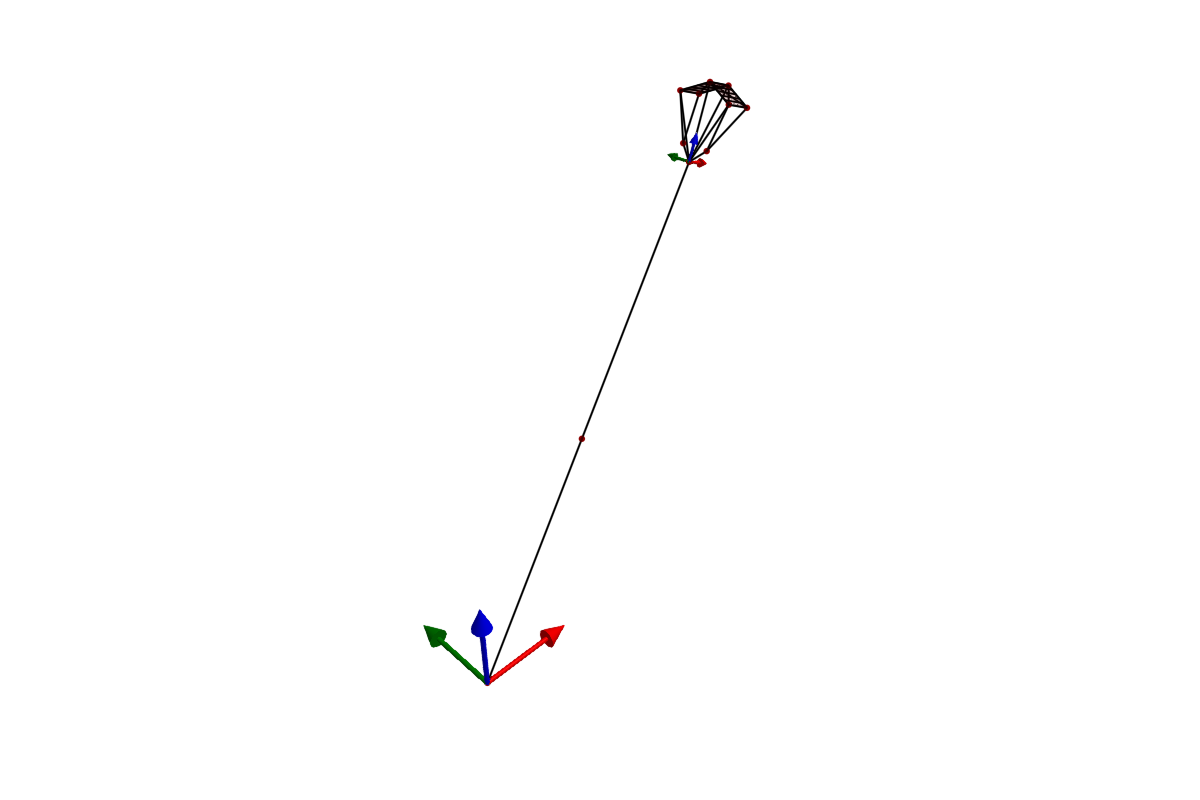
After compilation, a cache file (model_*.bin) is saved. Subsequent loads skip the expensive symbolic compilation and deserialize the cached model instead. Force a rebuild with init!(sam; remake=true).
YAML vs Julia
| Aspect | YAML | Julia constructors |
|---|---|---|
| Best for | Complex models, data from CAD/measurements | Simple models, programmatic generation |
| Readability | Easy to scan geometry at a glance | Better for computed geometry (loops, formulas) |
| Material refs | Built-in: reference by name | Manual: pass stiffness/damping directly |
| Version control | Clean diffs for parameter changes | Code diffs mix logic and parameters |
Both paths produce the same SystemStructure type and are equally capable. They can be freely mixed — for example, load a YAML model and then modify component fields in Julia before simulation.