Examples
Visualization with GLMakie
SymbolicAWEModels provides plotting functionality through a package extension. It loads once both a Makie backend and MakieControlPlots are available:
using SymbolicAWEModels
import GLMakie
using MakieControlPlots  # together these load the plotting extension
3D system structure — interactive visualization with clickable segments:
plot(sam.sys_struct)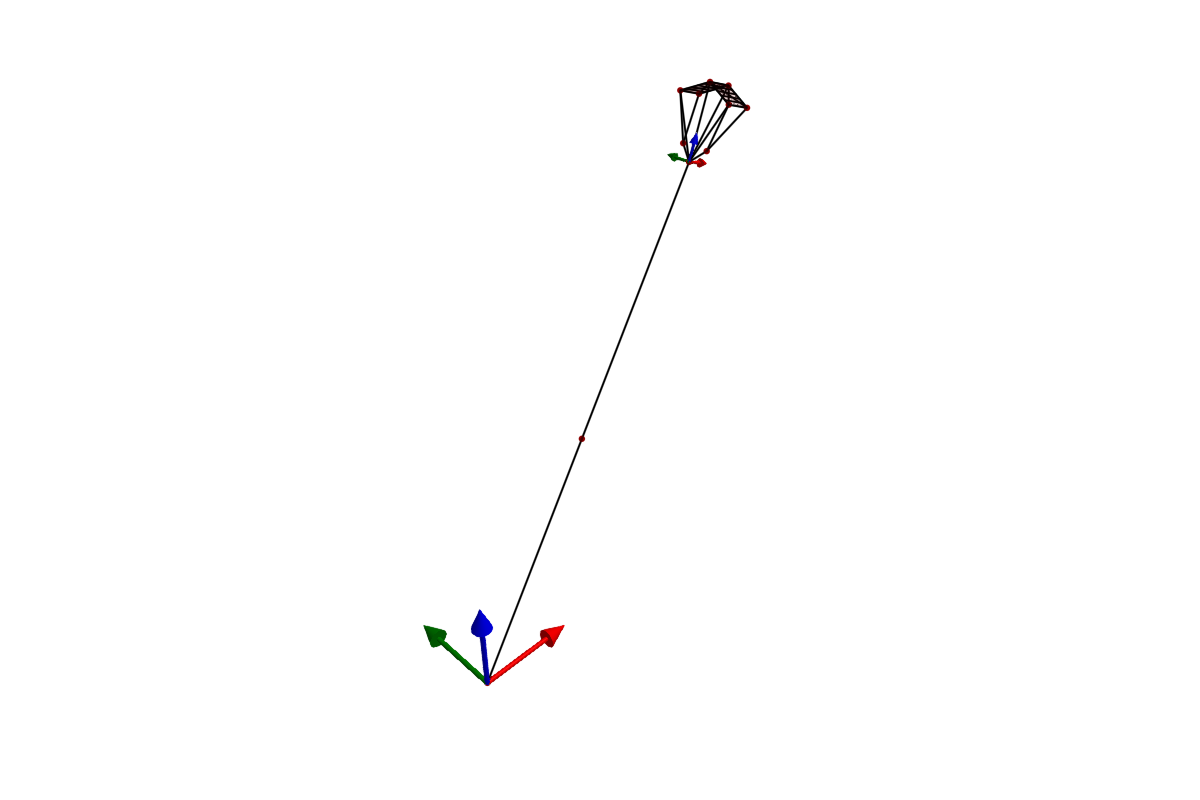
Time-series data — multi-panel plots of simulation results:
(log, _) = sim!(sam, set_values)
plot(sam.sys_struct, log; plot_default=true)
Interactive replay — scrub through a simulation with playback controls:
save_log(logger, "my_run")
syslog = load_log("my_run")
replay(syslog, sam.sys_struct)
Record to video — save a simulation as an MP4 file:
record(syslog, sam.sys_struct, "simulation.mp4"; framerate=30)See the Functions page for plotting keyword arguments.
Getting examples
Registry users — copy examples and data to your project:
using SymbolicAWEModels
import GLMakie
using MakieControlPlots
SymbolicAWEModels.copy_data()
SymbolicAWEModels.copy_examples()
include("examples/menu.jl")  # Interactive menu
Cloned repository — start Julia with the examples project:
julia --project=examplesusing Pkg; pkg"dev ." # First time only
include("examples/menu.jl")Structural examples
These examples demonstrate the building blocks without aerodynamics:
| Example | Description |
|---|---|
hanging_mass.jl | Simplest possible system: a mass on a spring |
catenary_line.jl | Multi-segment tether hanging under gravity |
pulley.jl | Pulley system with winch control |
saddle_form.jl | Complex mesh demonstrating 3D structures |
airbag.jl | Pressurized square membrane inflating under internal gauge pressure |
inflated_beam_fit.jl | Fits a nonlinear bending law for a pressurised tube and validates the Body/ElasticJoint chain as a cantilever |
custom_tape_winch.jl | Plugging in a custom AbstractWinchModel |
Coupled examples
These examples combine structural dynamics with aerodynamics. See the compilation pipeline page for how models are built and run.
2-Plate Kite
This example loads the 2-plate kite from YAML geometry and runs a coupled aerodynamic-structural simulation with a steering ramp:
using SymbolicAWEModels, VortexStepMethod
using KiteUtils: init!, next_step!, update_sys_state!

set_data_path("data/2plate_kite")

struc_yaml = joinpath(get_data_path(), "rigid_structural_geometry.yaml")

# Load settings and VSM configuration
set = Settings("system.yaml")
vsm_set = VortexStepMethod.VSMSettings(
    joinpath(get_data_path(), "vsm_settings.yaml"); data_prefix=false)

# Build system structure from YAML
sys = load_sys_struct_from_yaml(struc_yaml;
    system_name="2plate_kite", set, vsm_set)

sam = SymbolicAWEModel(set, sys)
init!(sam)

# Run with a steering ramp
for step in 1:600
    t = step * (10.0 / 600)
    ramp = clamp(t / 2.0, 0.0, 1.0)
    sam.sys_struct.segments[:kcu_steering_left].l0 -= 0.1 * ramp
    sam.sys_struct.segments[:kcu_steering_right].l0 += 0.1 * ramp
    next_step!(sam; dt=10.0/600, vsm_interval=1)
end
See coupled_2plate_kite.jl for the full example with logging and replay.
Other coupled examples
| Example | Description |
|---|---|
coupled_2plate_kite_linear_vsm.jl | The same kite with AeroLinearized aerodynamics |
coupled_tether_deflection.jl | Tether deflection under aerodynamic load |
coupled_linearize.jl | State-space linearization of a coupled model |
cosine_steering_trajectory.jl | Prescribed cosine steering input |
heading_gate.jl | Heading tracking through a gate |
kps4_comparison.jl | PlateWing kite against the KiteModels kps4 reference |
vsm_linearization.jl | Plots the VSM linearisation tangents around the operating point |
sam_tutorial.jl | Step-by-step model build, mirroring the Julia tutorial |
External kite models
Full kite models with bridle systems, detailed aerodynamics, and validation have been moved to dedicated packages:
- RamAirKite.jl — Ram air kite with 4-tether steering and deformable wing sections
- V3Kite.jl — TU Delft V3 leading-edge-inflatable kite (YAML-based)
Real-time visualization
To watch a simulation live, call plot(sam.sys_struct) once to build the scene and then plot!(sam.sys_struct) inside the loop. plot! pushes new positions into the existing Makie observables rather than rebuilding the scene, so the cost per frame is a redraw, not a re-plot:
plot(sam.sys_struct)
dt = 0.05
for _ in 1:500
    t_start = time()
    next_step!(sam; dt)
    plot!(sam.sys_struct)
    sleep(max(0, dt - (time() - t_start)))
end
Update only every few steps if the physics runs faster than the display. To review a finished run instead, log it and use replay (see coupled_2plate_kite.jl).