Building a system using YAML
This tutorial explains how to define mechanical systems using YAML configuration files. YAML is the recommended approach for complex models with many components, since it separates geometry data from simulation code.
Overview
The YAML workflow has three steps:
- Write a YAML file — define points, segments, and other components in a structured text file
- Load with
load_sys_struct_from_yaml— parses the YAML and calls the same Julia constructors used in the Julia tutorial - Compile and simulate — same as the Julia path:
SymbolicAWEModel→init!→next_step!
The YAML loader does as little as possible: it parses YAML, applies the variables block, converts string enum values, and calls constructors. All defaults and derived calculations happen in the component constructors.
YAML file structure
A YAML file can contain any of these top-level blocks:
| Block | Purpose |
|---|---|
variables | Named values and property sets reused across the file |
points | Point masses (nodes in the system) |
segments | Spring-damper connections |
pulleys | Equal-tension constraints |
stations | Deformable wing sections (twist DOF) |
tethers | Winch-controlled segment groups |
winches | Torque-controlled motors |
wings | Aerodynamic bodies |
bodies | Plain rigid bodies |
tubes | Inflated tubes between two bodies |
transforms | Spherical coordinate positioning |
A file needs at least a points or a bodies block; everything else is optional.
Each block uses a headers + data format:
points:
  headers: [name, pos_cad, type, extra_mass]
  data:
    - [anchor, [0, 0, 0], STATIC, 0.0]
    - [mass, [0, 0, -50], DYNAMIC, 1.0]
The headers row defines column names. Each data row is a list of values matching those headers. Missing trailing columns default to nothing.
Alternatively, you can use a dict format where each row is a dictionary:
points:
  data:
    - {name: anchor, pos_cad: [0, 0, 0], type: STATIC}
    - {name: mass, pos_cad: [0, 0, -50], type: DYNAMIC, extra_mass: 1.0}
Minimal example
Here is a complete YAML file for a simple two-point tether:
# simple_tether.yaml

points:
  headers: [idx, pos_cad, type, wing_idx, transform_idx, extra_mass]
  data:
    - [1, [0, 0, 0], STATIC, nothing, 1, 0.0]
    - [2, [0, 0, -50], DYNAMIC, nothing, 1, 1.0]

segments:
  headers: [idx, point_i, point_j, l0, diameter_mm,
            unit_stiffness, unit_damping, compression_frac]
  data:
    - [1, 1, 2, 50.0, 5.0, 100000, 50.0, 0.001]

transforms:
  headers: [idx, elevation, azimuth, heading,
            base_pos, base_point_idx, rot_point_idx]
  data:
    - [1, -80, 0, 0, [0, 0, 50], 1, 2]
Load and simulate:
using SymbolicAWEModels
using KiteUtils: init!, next_step!, update_sys_state!

set = Settings("system.yaml")
set.v_wind = 0.0

sys = load_sys_struct_from_yaml("simple_tether.yaml";
    system_name="simple_tether", set=set)
sam = SymbolicAWEModel(set, sys)
init!(sam)

for _ in 1:100
    next_step!(sam)
end
Transform elevation and azimuth values in YAML are specified in degrees (converted automatically), unlike the Julia constructor which takes radians.
Variables and materials
The variables block gives names to values that are reused across the file. A name written in any column of any block is replaced by its value:
variables:
  bridle_comp: 0.01
  bridle_diameter: 2.5

segments:
  headers: [name, point_i, point_j, l0, diameter_mm,
            unit_stiffness, unit_damping, compression_frac]
  data:
    - [bridle_left, 1, 2, 5.0, bridle_diameter, 100000, 50.0, bridle_comp]
    - [bridle_right, 1, 3, 5.0, bridle_diameter, 100000, 50.0, bridle_comp]
A variable may hold a number, a string or a list (kcu_pos: [0.0, 0.0, 12.0]), and may be written in terms of another variable. Column names in headers are never substituted, but a variable may not share its name with a component — that is an error, since references to the component would resolve to the variable.
Multi-variables and materials
A variable holding a mapping fills several columns at once: it stands for the columns it names, so the row is written with one entry for the whole group.
variables:
  dyneema:
    youngs_modulus: 55.0e9
    damping_per_stiffness: 0.00077
    density: 724.0

segments:
  headers: [name, point_i, point_j, l0, diameter_mm,
            youngs_modulus, damping_per_stiffness, density, compression_frac]
  data:
    # 'dyneema' fills youngs_modulus, damping_per_stiffness and density
    - [bridle, 1, 2, 5.0, 5.0, dyneema, 0.01]
    - [thin_bridle, 1, 3, 5.0, 1.0, dyneema, 0.01]
    # Written out (no multi-variable)
    - [strut, 2, 3, 5.0, 1.0, 6.4e9, 0.002, 724.0, 0.01]
The fields must match the columns starting at that position, in any order — a mismatch is an error naming both sides. This replaces the old materials table: each material defines only the fields it needs, with no shared headers row to keep in sync, and no nothing padding for the columns it fills.
In a dict row the fields are merged instead, and the row wins — override a field by naming it:
segments:
  data:
    - {name: bridle, point_i: 1, point_j: 2, l0: 5.0, diameter_mm: 5.0,
       material: dyneema, damping_per_stiffness: 0.001}
A segment's density [kg/m³] is used for its mass, so different tethers can use different materials. Without one, the global set.rho_tether applies.
Material properties versus element properties
unit_stiffness [N] and unit_damping [Ns] describe one element: both scale with its cross section, so a material shared by segments of different diameter must not fix them. Use the diameter-independent form instead:
| Material | Element | Relation |
|---|---|---|
youngs_modulus [Pa] | unit_stiffness [N] | unit_stiffness = youngs_modulus * pi * (diameter_mm/2000)^2 |
damping_per_stiffness [s] | unit_damping [Ns] | unit_damping = damping_per_stiffness * unit_stiffness |
Either form may be given per row; giving both forms of the same quantity is an error. What is left out comes from the settings (e_tether, rel_damping, d_tether, rho_tether).
The materials, elements and segment_properties tables were removed. A material is now a multi-variable, and its youngs_modulus, damping_per_stiffness and density are ordinary columns.
Component reference
Points
points:
  headers: [name, pos_cad, type, wing_idx, transform_idx, body, tube,
            vel_w, extra_mass, body_frame_damping, world_frame_damping,
area, drag_coeff, fix_sphere, fix_static]| Field | Type | Default | Description |
|---|---|---|---|
name | String/Int | required | Point identifier (idx also accepted) |
pos_cad | [x,y,z] | required | Authored position [m], before the transforms move it; place! turns it into the initial pose pos_ENU |
type | String | required | STATIC, DYNAMIC, or BODY_STATIC |
wing_idx | Int/nothing | none | Wing this point belongs to; omit it, or 0, for a point that belongs to none |
transform_idx | Int/nothing | nothing | Transform for initial positioning |
body | Ref/nothing | nothing | BODY_STATIC: body the point rides |
tube | Ref/nothing | nothing | BODY_STATIC: Timoshenko tube the point rides |
vel_w | [x,y,z] | zeros | Initial world-frame velocity [m/s] |
extra_mass | Float | 0.0 | Additional mass [kg] |
body_frame_damping | Float | 0.0 | Damping in body frame [Ns/m] |
world_frame_damping | Float | 0.0 | Damping in world frame [Ns/m] |
area | Float | 0.0 | Cross-sectional area for drag [m^2] |
drag_coeff | Float | 0.0 | Drag coefficient |
fix_sphere | Bool | false | Constrain the point to a sphere |
fix_static | Bool | false | Dynamically freeze the point position |
A BODY_STATIC point rides a rigid body (body:, or wing: for a wing body) or a Timoshenko tube (tube:); its body-frame offset is derived from its initial pose.
Segments
segments:
  headers: [idx, point_i, point_j, l0, diameter_mm,
            unit_stiffness, unit_damping, compression_frac]
  data:
    - [1, 1, 2, 5.0, 5.0, 100000, 50.0, 0.01]
The material columns can also come from a multi-variable, see Variables and materials.
| Field | Type | Description |
|---|---|---|
idx | Int | Segment identifier |
point_i, point_j | Int | Endpoint point indices |
l0 | Float | Unstretched length [m] (0 = calculate from points) |
diameter_mm | Float | Diameter [mm] |
unit_stiffness | Float | Per-unit-length stiffness [N] |
unit_damping | Float/nothing | Per-unit-length damping [Ns], or nothing for the settings default |
youngs_modulus | Float/nothing | Diameter-independent alternative to unit_stiffness [Pa] |
damping_per_stiffness | Float/nothing | Diameter-independent alternative to unit_damping [s] |
compression_frac | Float | Compressive/tensile stiffness ratio (0-1) |
compression_damping_frac | Float | Fraction of unit_damping still acting under compression (0-1, default 1) |
density | Float/nothing | Material density [kg/m³]; falls back to set.rho_tether |
Pulleys
pulleys:
  headers: [idx, segment_i, segment_j, type, efficiency]
  data:
- [1, 3, 4, DYNAMIC, 0.95]| Field | Type | Default | Description |
|---|---|---|---|
idx | Int | — | Pulley identifier |
segment_i, segment_j | Int | — | The two segments sharing the pulley point |
type | Enum | — | DYNAMIC |
efficiency | Float | 0.95 | Fraction of line tension the sheave passes on (1.0 = ideal) |
damping | Float | 0.0 | Artificial damping on rope travel [Ns/m], for debugging |
brake | Bool | false | Freeze the rope split where it is, for debugging |
friction_epsilon | Float | 0.1 | Friction smoothing width [m/s] |
Tethers
Route 1 (explicit segments):
tethers:
  headers: [idx, segment_idxs]
  data:
    - [1, [1, 2, 3]]
Route 2 (auto-generated segments):
tethers:
  headers: [name, start_point, end_point, n_segments]
  data:
    - [main, kite, ground, 5]
The generated points are DYNAMIC and the generated segments take the tether's material columns, which are the Segments ones (diameter_mm, unit_stiffness, unit_damping, youngs_modulus, damping_per_stiffness, density, compression_frac, compression_damping_frac) and may equally come from a multi-variable. A tether without a winch keeps its length fixed, which is how a plain line is split into several segments.
| Field | Type | Description |
|---|---|---|
init_stretched_length | Float/nothing | Placed (stretched) standoff [m]; place! moves the free end to span it. nothing = keep the point geometry |
init_tether_force | Float/nothing | Target initial spring force [N], default 0 |
init_stretch_frac | Float/nothing | Initial unstretched/stretched ratio; 1.0 is untensioned, > 1 slack. Excludes init_tether_force |
Winches
winches:
  headers: [idx, tether_idxs, winch_point]
  data:
    - [1, [1], ground]
Stations
A Station is a wing section with a twist degree of freedom. point_idxs (or points) lists its structural points; type is DYNAMIC (twist solves its equilibrium), STATIC (twist is a prescribed control input) or KINEMATIC (a flap hinge whose deflection follows two bodies).
stations:
  headers: [name, point_idxs, type, moment_frac, damping, stiffness]
  data:
    - [left,   [le_left, te_left],     DYNAMIC, 0.25, 100.0, 0.0]
    - [center, [le_center, te_center], DYNAMIC, 0.25, 100.0, 0.0]
Wings
wings:
  data:
    - name: main_wing
      dynamics_type: RIGID_DYNAMICS   # or PARTICLE_DYNAMICS
      aero_mode: linearized           # direct | continuous | pressure | plate | none
      stations: [left, center, right]
      origin_idx: kcu
      z_ref_points: [kcu, le_center]
      y_ref_points: [le_right, le_left]
      aero_z_offset: 0.0
Mass properties (extra_mass, com, unit_inertia) are optional columns; com and unit_inertia are computed from the wing's .obj mesh when omitted, if one is supplied. They describe the wing body alone, as below.
Mass of a rigid body
A RIGID_DYNAMICS wing or a plain Body has an extra_mass: its own mass, which nothing overwrites. The points it carries — its BODY_STATIC riders, and a rigid wing's nodes — keep their own masses too, and the body adds each of them at the point's attachment as its total_mass: its extra_mass plus half of every segment it holds. So the body's
total_massisextra_massplus thetotal_massof every point it carries, and its weight acts at the COM;- COM (
com_offset_b) is the mass-weighted mean of its own COM and those points; - inertia is its own about that COM plus each point's, by the parallel-axis theorem.
body.total_mass
├── body.extra_mass            the body's own mass
└── point.total_mass           for every point the body carries
    ├── point.extra_mass
    └── segment_mass / 2       for every segment attached to the point
Mass given both on the body and on its points counts both, once each: a KCU point of 10 kg riding a 15 kg wing makes a 25 kg body whose COM sits 40% of the way to the KCU. A wing with no extra_mass of its own and no point masses spreads set.mass over its points. A particle wing's total_mass adds up its free points and section bodies, which carry its mass.
The segment halves use each segment's l0 at the start of a run (update_mass_properties!, run by init!); they are not updated while a winch changes a tether's l0 during a run.
Bodies and tubes
A Body is a plain rigid body — no aerodynamics, no structural points of its own. Bodies are linked by Tubes: an inflated tube of one diameter [m] and pressure [Pa], whose law gives its rigidities and whose model is the element it is simulated as — timoshenko, a 2-node TimoshenkoTube beam element, or elastic, a lumped 6-DOF ElasticTube spring. A chain of Timoshenko tubes forms a beam, and the placed bodies fix each tube's rest length. BODY_STATIC points ride a body (body_idx) or a Timoshenko tube (tube).
bodies:
  headers: [name, extra_mass, inertia_principal, pos, type]
  data:
    - [nodeA, 1.0, [0.01, 0.01, 0.01], [0.0, 0.0, 0.0], STATIC]
    - [nodeB, 1.0, [0.01, 0.01, 0.01], [1.0, 0.0, 0.0], DYNAMIC]

tubes:
  headers: [name, bodies, diameter, pressure, law, model, shear_coeff, damping]
  data:
    - [beam, [nodeA, nodeB], 0.12, 30000.0, breukels2011, timoshenko, 0.8333,
       0.05]

points:
  headers: [name, pos_cad, type, body_idx]
  data:
    - [tip_anchor, [1.0, 0.0, 0.0], BODY_STATIC, nodeB]
A timoshenko tube derives each of EA, GA, GJ, EIy and EIz from its law unless its row gives it; an elastic tube takes stiffness_axial, stiffness_shear, stiffness_torsion and stiffness_bending. Both take damping [s], and anchor_a/anchor_b place the ends in each body's frame. Scalar rigidities are linear laws; nonlinear (callable) ones are supplied programmatically, not from YAML.
Transforms
transforms:
  headers: [idx, elevation, azimuth, heading,
            base_pos, base_point_idx, rot_point_idx]
  data:
    - [1, -80, 0, 0, [0, 0, 50], 1, 2]
Loading workflow
The full loading workflow for a model with aerodynamics:
using SymbolicAWEModels, VortexStepMethod

set_data_path("data/2plate_kite")
set = Settings("system.yaml")
vsm_set = VortexStepMethod.VSMSettings(
    project_file("vsm_settings"); data_prefix=false)

struc_yaml = joinpath(get_data_path(),
    "rigid_structural_geometry.yaml")
sys = load_sys_struct_from_yaml(struc_yaml;
    system_name="2plate_kite",
    set=set,
    vsm_set=vsm_set)

sam = SymbolicAWEModel(set, sys)
init!(sam)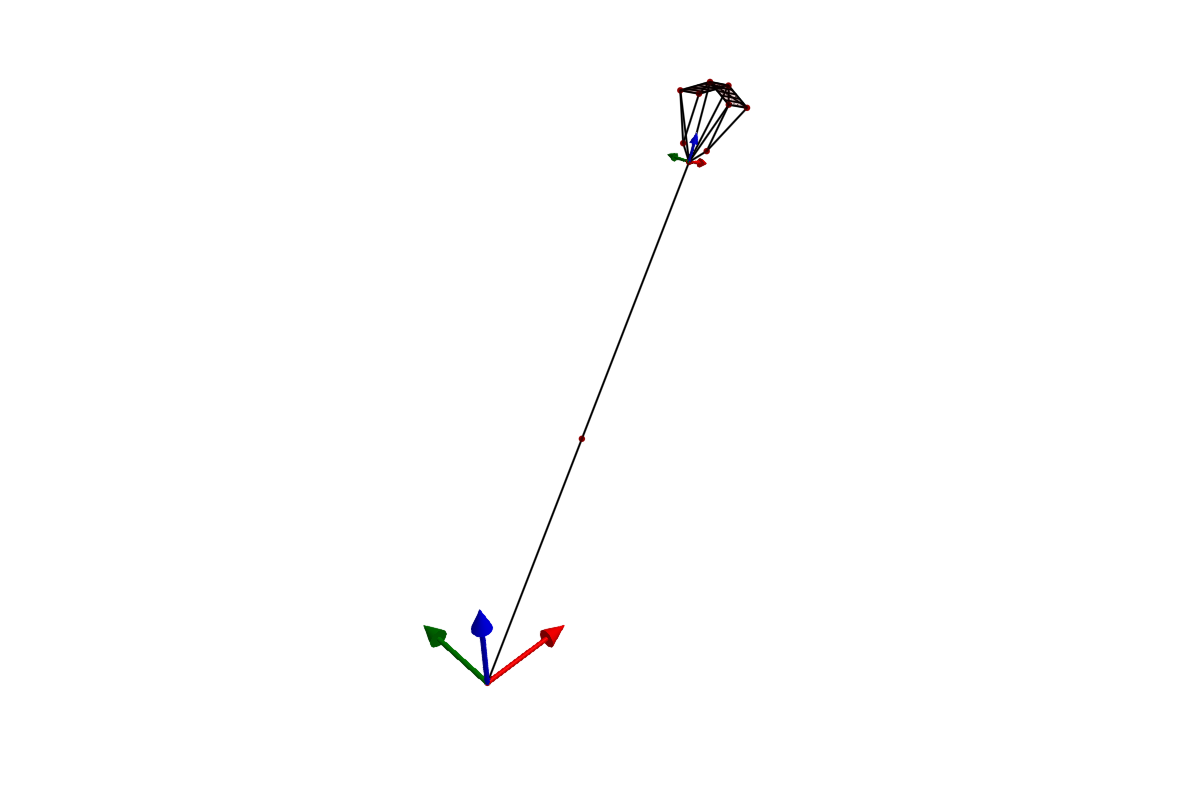
After compilation, a cache file (model_*.bin) is saved. Subsequent loads skip the expensive symbolic compilation and deserialize the cached model instead. Force a rebuild with init!(sam; remake=true).
YAML vs Julia
| Aspect | YAML | Julia constructors |
|---|---|---|
| Best for | Complex models, data from CAD/measurements | Simple models, programmatic generation |
| Readability | Easy to scan geometry at a glance | Better for computed geometry (loops, formulas) |
| Material refs | Built-in: reference by name | Manual: pass stiffness/damping directly |
| Version control | Clean diffs for parameter changes | Code diffs mix logic and parameters |
Both paths produce the same SystemStructure type and are equally capable. They can be freely mixed — for example, load a YAML model and then modify component fields in Julia before simulation.