Turbulence
The file gui.yaml
Example:
gui:
    project: hydra20_600.yml             # the selected project
    default_turbulence: 1.0              # default turbulence level for simulations, between 0.0 and 1.0
The file gui.yaml stores the default turbulence. It can be changed using a menu entry. The project entry is not used for the examples of this package.
The second menu
To show the second menu, type menu2(). You should see:
Choose function to execute or `q` to quit:
 > set_default_turbulence()
   plot_cl_cd_plate = include("plot_cl_cd_plate.jl")
   plot_side_cl = include("plot_side_cl.jl")
   steering_test_4p = include("steering_test_4p.jl")
   plot_parking_test = include("plot_parking_test.jl")
   calculate_rot_inertia = include("calculate_rotational_inertia.jl")
   show_kite = include("../examples_3d/show_kite.jl")
   parking_4p = include("../examples_3d/parking_4p.jl")
   auto_parking_4p = include("../examples_3d/auto_parking_4p.jl")
   parking_wind_dir = include("../examples_3d/parking_wind_dir.jl")
   build_docu = include("../scripts/build_docu.jl")
 > quit
The first menu entry can be used to set the default turbulence.
Turbulence
The relative turbulence (use_turbulence) can be specified at two locations:
- as
default_turbulencein the filegui.yaml - in one of the
settings_*.yamlfiles in the sectionenvironment
The first entry has the highest priority.
The value from the settings_*.yaml files is mainly used for the examples of the first menu.
For further details on the mathematical model, used to create the turbulent wind field, look at AtmosphericModels.jl.
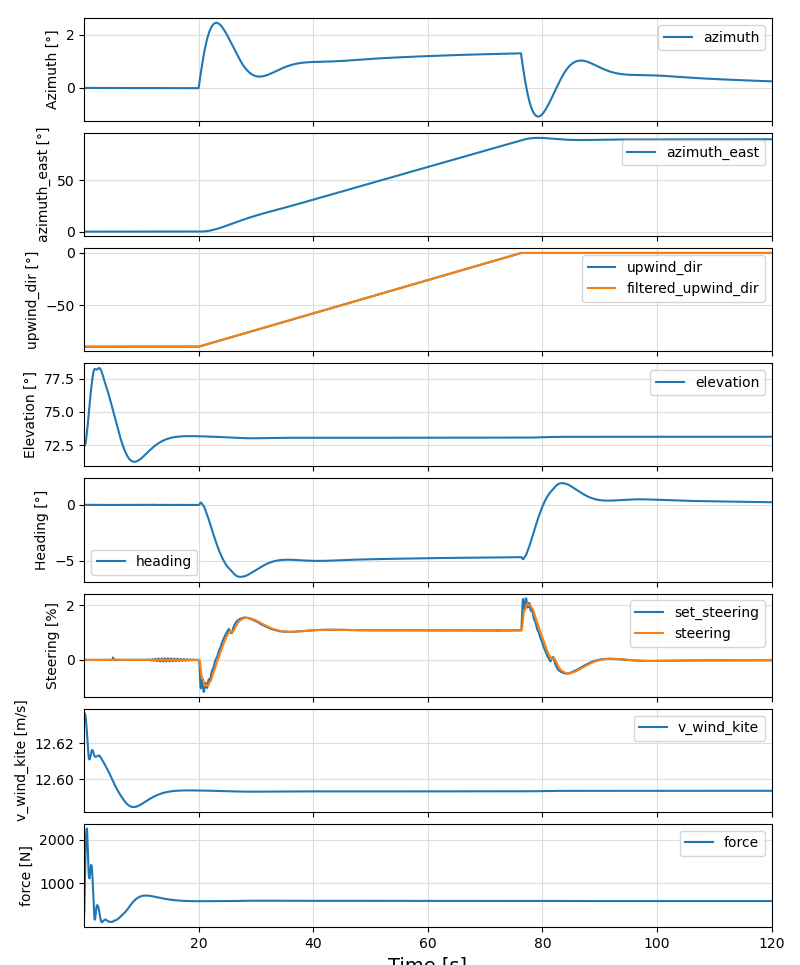
The example "parking_wind_dir.jl" produces the following output:
Without turbulence
With turbulence (8.9% turbulence intensity)
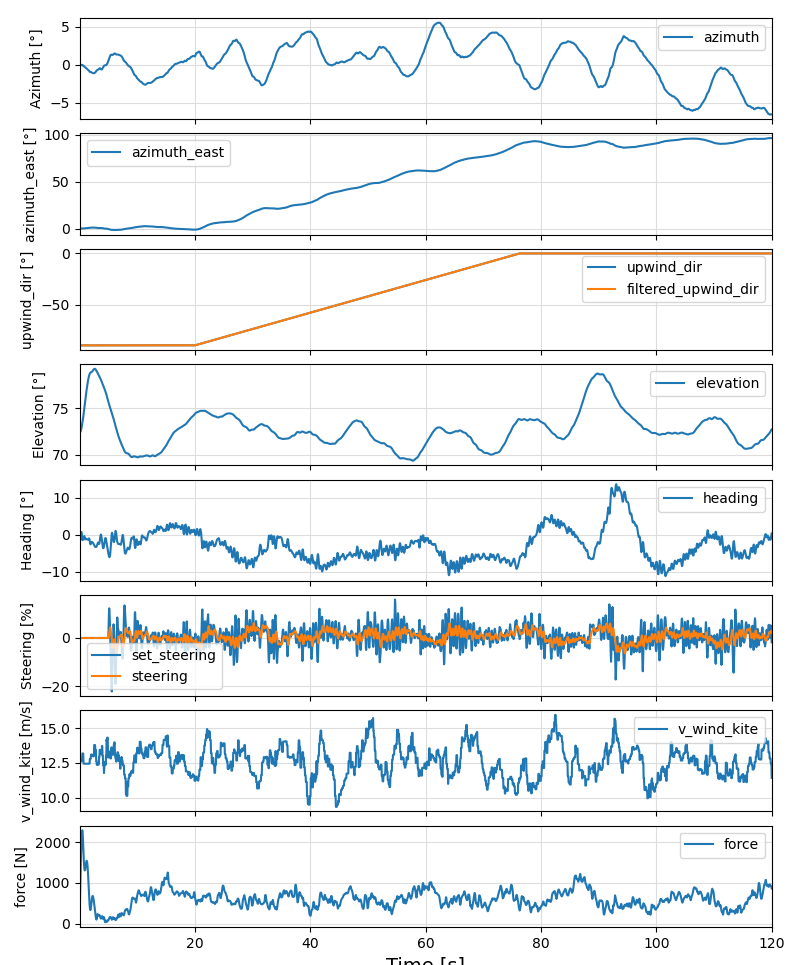
The turbulence intensity at the height of the kite is calculated and printed when running the example.